 NEXAURA STORES

 Sell on Nexaura
NEXAURA BUYING GUIDE
Desk Comfort for Home Workers: What Actually Helps Your Posture (UK Guide 2026)
Backache by 3pm? You do not need a £500 ergonomic chair to fix your home office. Here is what the evidence actually supports — and three affordable buys that genuinely help.
Millions of us now work from the kitchen table, the sofa, or a spare-bedroom desk that was never designed for eight hours of sitting. The result is familiar: a stiff neck by lunchtime, an aching lower back by mid-afternoon, and shoulders that seem permanently glued to your ears. The good news is that fixing it rarely requires expensive furniture. Small, evidence-backed changes to your setup and habits make a far bigger difference than most gadgets on the market.
This guide cuts through the marketing. We look at what actually causes desk-related pain, the four posture rules that physios keep repeating, which affordable products genuinely earn their place on your desk, and what is a waste of money.
Why your desk setup hurts more than you think
Most home-worker pain has three culprits. First, a low screen: laptops force your head to tilt down, adding load to the neck and upper back — the famous “tech neck”. Second, slumped sitting: without back support, your pelvis rolls backwards, your shoulders round forwards, and your spine ends up shaped like a question mark. Third, stillness: sitting in one position for hours stiffens muscles and joints, whatever your posture.
Notice that two of those are habits, not purchases. That is the uncomfortable truth of the desk-comfort industry: the biggest wins are free. But the right accessories make the good habits far easier to keep, which is where affordable kit earns its place.
The four posture rules that actually work
1. Raise your screen to eye level
The single highest-impact change you can make. Your eyes should fall naturally on the top third of the screen without tilting your head. With a laptop, that usually means propping it up on books or a stand and using a separate keyboard and mouse. Even a stack of sturdy hardbacks beats a screen that is ten inches too low.
2. Sit with support, not stiffness
Your feet should rest flat on the floor, knees roughly at right angles, and your lower back supported. If your chair has no lumbar support, a rolled-up towel wedged behind your lower back works surprisingly well. The goal is a neutral spine — not bolt-upright military posture, which nobody can hold for long.

3. Break up sitting time
Research consistently shows that moving little and often beats one heroic gym session after eight motionless hours. Stand up every 30–45 minutes — fill the water bottle, stretch, walk to the window. Set a timer if you get lost in deep work. Your back will thank you by Friday.
4. Clear your desk
Tangled cables and clutter force awkward reaching and twisted sitting. Bundling your charger and monitor cables into a neat spiral tidy takes five minutes and stops the familiar cable avalanche behind the desk. A calmer desk also makes it easier to sit squarely at your screen instead of craning around a mess.

The gear that genuinely helps
You do not need a shopping list of gadgets — but a few targeted buys remove the friction that keeps bad habits in place. These three all cost less than a takeaway each.
OUR PICK
Posture Support Brace — Adjustable Unisex — $13.31
A gentle training aid that reminds you to keep your shoulders back and spine upright while you work. Fully adjustable straps suit most body sizes, and it is discreet enough to wear under a jumper. It is not a medical device — it is a habit-builder, and that is exactly what desk posture needs.
A posture brace works as a physical reminder: the straps nudge you upright every time you start to slump, which retrains the muscle memory that hours of screen work erodes. Wear it for short periods — an hour or two a day — alongside the posture rules above, and you will notice the habit sticking even when you are not wearing it.
Keep your phone where your eyes already are
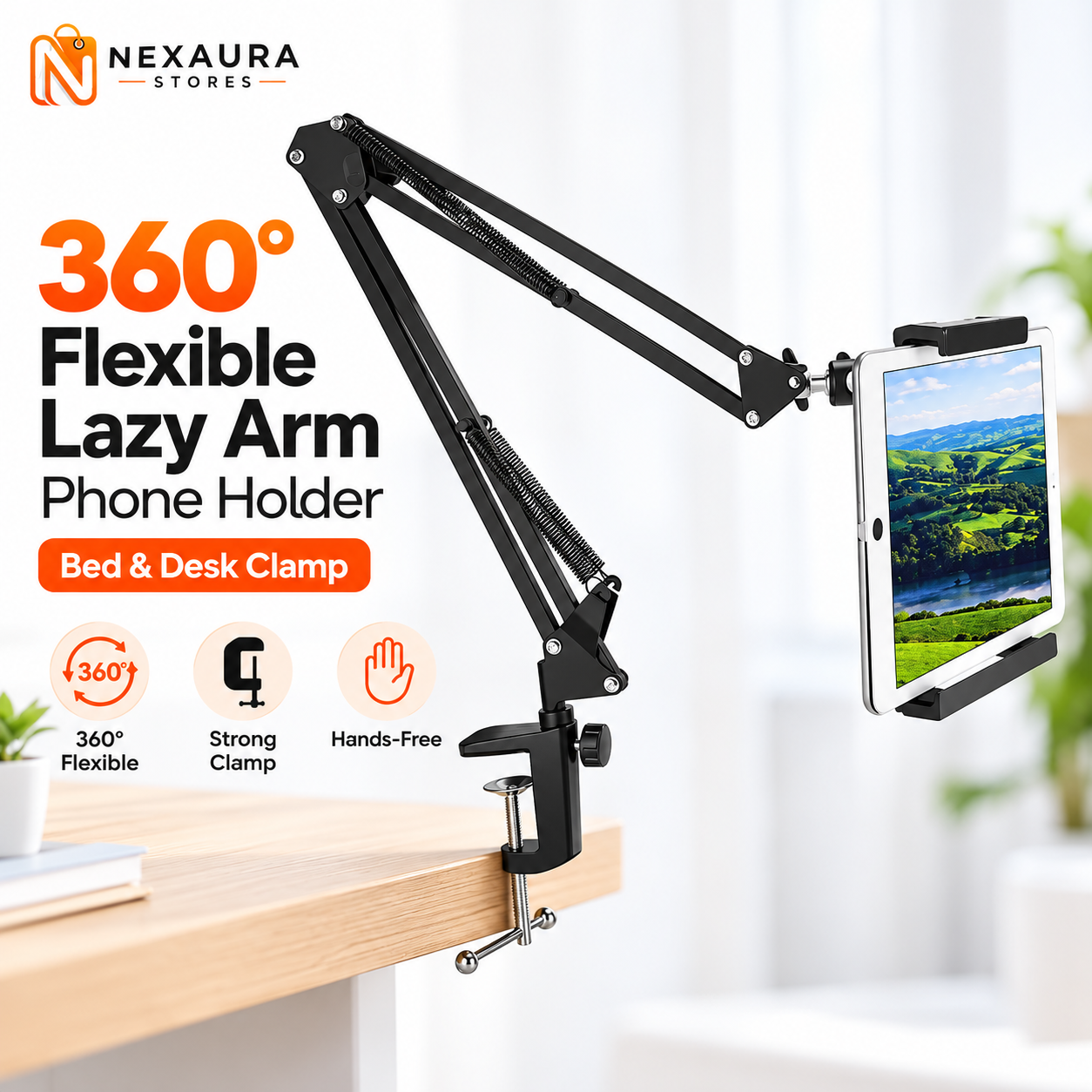
If you check your phone dozens of times a day at your desk, every glance is another crane of the neck. A 360° Flexible Lazy Arm Phone Holder ($11.98) clamps to the desk edge and holds your phone at a sensible viewing angle. Video calls, references and notifications all happen at eye level instead of in your lap — and your hands stay free for the keyboard.
Tame the cables once, enjoy it for years
Laptop charger, monitor cable, phone charger, lamp flex: the average home desk has four or five cables snaking about, and they always end up where your feet or your keyboard need to be. The Spiral Wrap Cable Tidy 10m ($8.01) bundles the lot into one neat coil in minutes, with a threading tool included. It is the least glamorous buy on this list and possibly the most satisfying.
What is not worth your money
Not every desk-comfort product earns its keep. Be sceptical of expensive “posture corrector” harnesses that claim to realign your spine in days — no brace corrects posture on its own; it only supports the habits you build. Similarly, skip the novelty lumbar massagers that vibrate and beep but never address the underlying setup. And think twice before buying a brand-new chair when a rolled towel and a repositioned monitor would fix the problem for free. Spend first on setup, then on gadgets — not the other way round.
A 10-minute daily reset routine
Even a perfect setup cannot replace movement. Try this simple routine at the end of each workday — it takes ten minutes and tackles exactly the muscles desk work tightens:
Chin tucks (1 minute): sit tall, pull your chin straight back to make a double chin, hold 5 seconds, release. Ten repetitions. This counteracts the forward head position that screens encourage.
Doorway chest stretch (2 minutes): stand in a doorway with forearms on the frame, lean gently forward until you feel a stretch across the chest and front of the shoulders. Desk work rounds shoulders inwards; this opens them back up.
Hip flexor lunge (3 minutes): half-kneel with one knee on the floor, push your hips gently forward. Sitting shortens the hip flexors, which drag on the lower back; this restores length.
Standing back extension (1 minute): hands on your lower back, lean gently backwards and hold for 10 seconds. Repeat five times to balance out a day of forward bending.
Walk (3 minutes): a short walk around the house or street resets circulation and gives your eyes a break from close focus. Pair it with a glass of water and you have a proper end-of-day reset.
Frequently asked questions
Does a posture brace actually work?
A posture brace is a reminder, not a cure. It gently pulls your shoulders back, which trains awareness and strengthens the habit of sitting upright. Studies on posture aids show the benefit comes from consistent short wear combined with exercises — it will not fix posture on its own if you still spend eight hours slumped.
What is the ideal desk setup for posture?
The top of your screen at or just below eye level, about an arm’s length away; feet flat on the floor; knees at roughly 90 degrees; lower back supported; and your most-used items within easy reach so you never twist or stretch. These basics matter more than any single product.
How often should I take breaks from sitting?
Aim to stand or move every 30–45 minutes, even if only for a minute. The evidence favours frequent short breaks over one long one — a 60-second stretch every half hour reduces stiffness and fatigue more effectively than sitting perfectly still until lunch.
Can I work from the sofa without ruining my back?
Occasionally, yes; all day, no. Sofa working encourages a rounded back and a craned neck with zero lumbar support. If you must do it, keep sessions short, use a cushion behind your lower back, and raise the laptop on a firm surface so the screen sits closer to eye level.
Should I buy an expensive ergonomic chair?
Not as a first step. A costly chair cannot compensate for a too-low screen and hours of uninterrupted sitting. Fix your screen height, add lumbar support, build a movement habit, and reassess in a month. Many home workers find the aches are gone long before a new chair is justified.
FIX YOUR DESK, SAVE YOUR BACK
Shop Desk Comfort at Nexaura Stores
Posture support, phone holders and cable organisers — affordable desk upgrades with secure checkout and UK delivery.