 NEXAURA STORES

 Sell on Nexaura
NEXAURA BUYING GUIDE
Cable Management 101: Tidy Every Room (UK Guide 2027)
Tangled chargers, trailing TV leads and a nest of cables behind every desk — here is a room-by-room system that keeps every cable safe, findable and out of sight.
The average UK home now has dozens of cables: phone chargers, laptop leads, TV power cords, router cables, games console wires and kitchen appliance leads. Left alone, they tangle, fray and turn a simple job — charging a phone, moving a lamp — into a hunt behind the furniture. A cable stretched across a walkway is a trip hazard, and a tightly bent cable fails far sooner than it should.
Cable management is not about hiding everything in a box and forgetting it. It is a simple system: shorten what is too long, bundle what runs together, route cables away from feet and heat, and label the ones you unplug often. Done once, properly, it stays tidy because every cable has a route home.
Start with an audit, not a shopping basket
Before you buy a single clip or sleeve, walk each room and list what is actually plugged in. You will usually find three surprises: cables for devices you no longer own, duplicate chargers, and leads far longer than the gap they span. Unplug the dead ones, recycle them responsibly, and keep one spare charger per connector type.
Then group what remains by route, not by device. Cables that travel from the same socket to the same desk, TV stand or bedside table belong together. That is the bundle you will tidy as one unit, rather than wrestling with each cable separately every time you dust.
1. Shorten, bundle, then route — in that order
Most cable mess is excess length. A two-metre charger serving a phone that sits 30 centimetres from the socket does not need its full length loose on the floor. Coil the slack neatly — never kink it tightly around the plug, which damages the internal wires — and secure the coil so it cannot unravel. Only then bundle the cables that share a route, and only then decide how they travel to the wall.
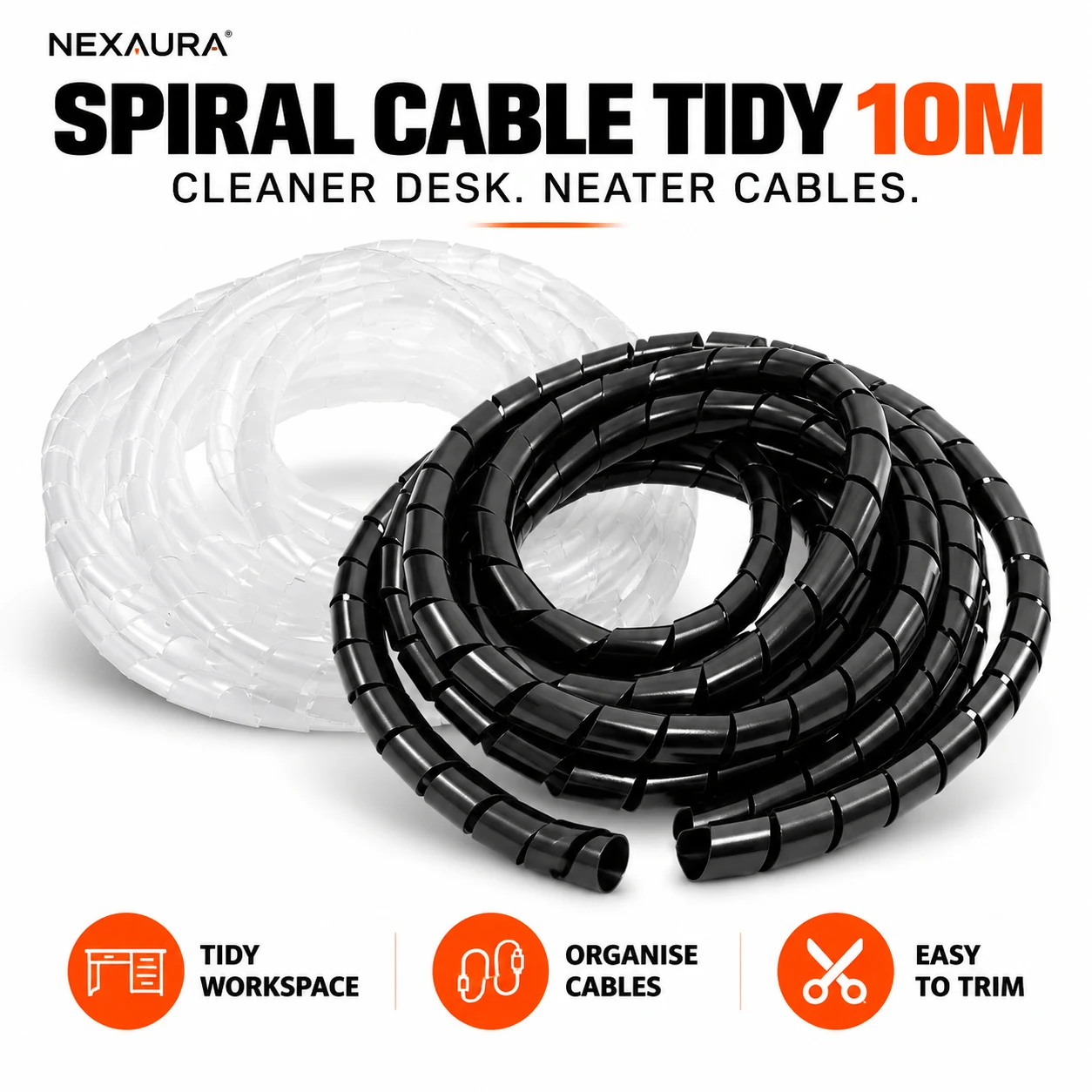
Bundling is where a simple wrap earns its keep. A spiral-wrap cable tidy turns three or four loose leads into one neat, flexible snake that can still bend around a desk leg or drop behind a TV stand. Because the wrap spirals on, you can add or remove a cable later without undoing the whole bundle — a real advantage over zip ties, which have to be cut and replaced every time you change a device.
Keep bundles loose enough that cables are not crushed, and never run a bundle under a rug or a heavy piece of furniture. A cable that cannot shed heat, or that is walked on daily, will fail early — and a damaged cable is a fire risk, not just an eyesore.
2. The home office and desk: one tidy spine
Desks are the worst offenders, because monitors, laptops, lamps, speakers and chargers all converge on one or two sockets. The fix is a single spine: bring every cable to the back edge of the desk, bundle it, and drop it straight down to a power strip or socket at floor level. Nothing should dangle in the legroom zone, and nothing should cross the floor where feet go.
Fewer cables help more than cleverer tidies. A 4-port USB hub lets one port on a laptop serve a mouse, keyboard, headset and drive, instead of four separate leads snaking across the desk. Place the hub at the back of the desk, run its single upstream cable in the spine, and keep the short device leads on the desk surface where they are short, visible and easy to reach.

Label the plugs at the strip end — a strip of masking tape and a pen will do — so you can kill the printer or the monitor without unplugging the router by mistake. If you work from home, that label saves a surprising amount of swearing.
3. The living room: hide the TV nest properly
Behind a TV stand, power, HDMI, aerial and games cables all meet, and the stand itself hides the mess until you need to swap a device. Start by pulling the stand out — yes, really — and unplugging everything. Clean the dust, then reconnect one device at a time, bundling each run as you go and keeping power cables separate from signal cables where you can. Power and HDMI running tightly parallel over a long distance can, in older setups, invite interference; a little separation costs nothing.
Route the finished bundle along the back of the stand or down a leg, not across the open floor behind it. If the stand sits against a wall, a short channel or a few adhesive clips along the skirting board will keep the bundle flush and invisible from the sofa. Leave a little slack at each device end — a cable pulled drum-tight will tug its plug loose every time the stand is nudged.
4. The bedroom: tame the bedside charger sprawl
Bedside tables breed cable sprawl because phones, watches, earbuds and lamps all charge overnight in a small space. The rule here is one charging point, short leads, and a place for each device to sit. A single multi-port charger or hub on the bedside table, with leads no longer than the table is wide, stops cables sliding behind the bed every night.
Standardising on one connector type helps enormously. A USB-C to USB-C fast charging cable 2-pack covers a phone and a pair of earbuds or a tablet with matching, one-metre leads — long enough to reach from the socket to the table, short enough not to pool on the floor. Keep the second cable as the travel spare, not as a second tangle on the same table.

Keep charging leads off the pillow and away from bedding. A lead trapped under a pillow overheats, frays faster, and is easy to yank when you reach for the phone in the dark. A small clip on the edge of the table holds the connector exactly where your hand expects it.
5. The kitchen and utility room: safety first
Kitchens add water, heat and steam to the cable problem, so the rules tighten. Never run appliance leads across a sink, hob or wet worktop, and never let a lead dangle where a child or pet can pull a kettle or toaster off the counter. Coil and clip the excess of a long appliance lead so only the length you need reaches the socket, and keep the coil away from the hob and oven.
In a utility room, check that appliance cables are not rubbing against a sharp edge or a hot pipe — a cable that chafes through its insulation is a shock and fire risk, so replace it, do not tape over it. Extension leads in damp rooms should be kept off the floor where possible, and never daisy-chained.
6. Kids, pets and rented homes: no-drill tidying
In a rented home, drilling channels into walls is rarely an option — and with children or pets around, dangling cables are more than untidy. Adhesive clips, spiral wraps and freestanding cable boxes all work without a single hole, and all come away cleanly when you move out. Route cables along skirting boards and behind furniture, out of reach of small hands and chewing puppies, and cover any floor crossing with a proper cable ramp rather than tape, which lifts and becomes its own trip hazard.
Teach the household the system as you build it: chargers live in one spot, the spare leads live in one drawer, and a cable that is not in use gets coiled and put away rather than left on the floor. A system only the person who built it understands will be undone within a week.
Mistakes that undo good cable management
- Zip-tying everything permanently. Devices change; a bundle you cannot open will be cut apart at the first swap. Use wraps or reusable ties.
- Running cables under rugs. It hides the mess but traps heat and invites wear from foot traffic. Route around, not under.
- Bending cables tightly at the plug. Sharp bends break internal wires and are the commonest cause of a charger that only works at one angle.
- Daisy-chaining extension leads. One strip into another overloads the first and hides the total load. One strip per socket, within its rated load.
- Hiding damaged cables. A frayed, scorched or cracked cable should be replaced, not wrapped and forgotten. Tidy systems make damage easier to spot — check bundles when you dust.
OUR PICK
Spiral-Wrap Cable Tidy — 10m Desk Organiser
If you buy one thing from this guide, make it this: ten metres of flexible spiral wrap that turns a desk, TV stand or bedside tangle into a single neat bundle — and lets you add or remove a cable later without starting over.
Frequently asked questions
What is the best way to hide cables without drilling?
Bundle cables with a spiral wrap, then route the bundle along skirting boards or behind furniture using adhesive clips. A cable box at the socket end hides the power strip itself. All of these come away cleanly, which makes them ideal for rented homes.
Is it safe to run cables under a rug?
No. Cables under rugs trap heat, wear faster under foot traffic, and cannot be inspected for damage. Route cables around a room instead, or use a proper cable ramp where a floor crossing is unavoidable.
How do I stop phone chargers tangling by the bed?
Use one charging point with short, matching leads — one metre is usually plenty for a bedside table — and a clip on the table edge to hold each connector. Keep spare cables in a drawer, not on the table.
Can I bundle power and HDMI cables together?
For short runs it is fine, but keep them slightly separated over long parallel runs where you can, and never crush either type in a tight tie. Leave a little slack at each end so plugs are not under tension.
When should I replace a cable instead of tidying it?
Replace it straight away if the insulation is frayed, cracked or scorched, if it only works when held at an angle, or if it feels hot in use. Tidying a damaged cable hides a hazard; it does not fix one.
READY TO TIDY UP?
Shop Cable & Charging Essentials at Nexaura Stores
Cable tidies, USB-C leads, hubs and chargers — secure checkout and UK delivery as standard.