 NEXAURA STORES

 Sell on Nexaura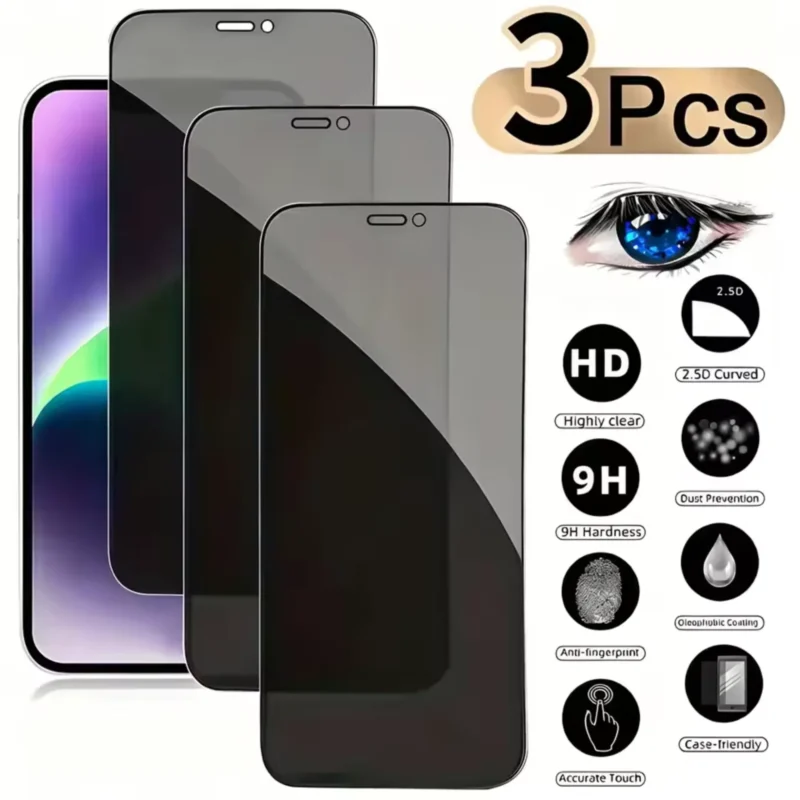
NEXAURA BUYING GUIDE
Privacy vs Standard Screen Protectors: Which Should You Buy? (UK Guide 2026)
One keeps strangers’ eyes off your screen; the other keeps everything bright and crisp. Here is how they compare — and which one actually suits your life.
A screen protector is the cheapest insurance policy your phone will ever have. One good drop onto a pavement, one tumble into a bag full of keys, and a £7 sheet of tempered glass can save you a £150–£250 screen repair. But when you start shopping, you run into a choice that sounds simple and is anything but: privacy or standard?
Both protect your screen. Only one protects what is on it. And the privacy option comes with trade-offs that matter in everyday use. This guide breaks down exactly what each type does, who each is for, and how to fit one properly so you do not end up peeling it off in frustration.

What a standard screen protector actually does
A standard tempered-glass protector is a thin sheet of chemically strengthened glass — usually 9H hardness — that sits on top of your phone’s display. Its job is purely physical: it absorbs scratches, minor impacts and scuffs so your actual screen does not have to. If you crack it, you replace a £7–£10 piece of glass instead of paying for a screen repair.
Crucially, a standard protector is designed to be invisible. It should not change how your screen looks or feels — brightness, colour and touch sensitivity stay exactly as the manufacturer intended. Good ones also carry an oleophobic (oil-resistant) coating that shrugs off fingerprints better than bare glass, at least for the first few months.
What a privacy screen protector does differently
A privacy protector is also tempered glass, but it has a built-in micro-louvre filter — thousands of tiny vertical slats embedded in the glass, like miniature venetian blinds. Look at your phone straight on and you see everything normally. Tilt it past roughly 28–30 degrees to either side and the screen goes dark to the viewer.
This is the whole point: the person sitting next to you on the train, the colleague across the open-plan office, or the stranger behind you in a queue sees a darkened, unreadable screen while you carry on as normal. It is not perfect security — someone directly over your shoulder can still see — but it shuts down casual snooping completely.

Privacy vs standard: the honest trade-offs
1. Brightness and clarity
The micro-louvre filter physically blocks some light, so privacy screens are noticeably dimmer. Expect to run your brightness 15–30% higher than usual for the same readability. Indoors this is a non-issue; outdoors in bright sunlight it can make the screen harder to read. A standard protector changes nothing about brightness or sharpness.
2. Screen quality
Side by side, a privacy protector gives colours a slightly hazy or veiled quality at an angle, and fine text can look a touch softer even head-on. If you do a lot of photo editing, watch films on your phone, or simply love your iPhone’s display, a standard protector preserves the screen exactly as Apple made it.
3. Touch sensitivity
Both types are thin enough that touch response is fine on modern phones. Privacy protectors are sometimes marginally thicker, and a few users notice the fingerprint-resistant coating wears faster. In practice, any quality tempered-glass protector — privacy or standard — feels like the bare screen.
4. Privacy angle
This is the entire reason the privacy version exists. The 28–30° cut-off means anyone sitting beside you sees black. A standard protector offers zero privacy — your banking app, messages and emails are fully visible to anyone who glances over.
5. Price and value
Privacy protectors used to cost twice as much as standard ones. That gap has narrowed a lot — a 3-pack of privacy glass for iPhone now costs around £7.99, barely more than standard multi-packs. At that price the real question is not cost, it is whether you want the privacy trade-offs.

Who should buy a privacy protector?
- Commuters. Trains, tubes and buses put strangers shoulder-to-shoulder with your screen twice a day. If you check emails, messages or banking on the commute, privacy glass is the obvious choice.
- Open-plan office workers. Desks close together, screens at glancing angles — a privacy filter means your inbox stays your business.
- Frequent travellers. Airports, lounges and queues are full of idle eyes. If you handle work documents or payments on the move, the filter pays for itself.
- Anyone who dislikes being watched. Some people simply find it uncomfortable when strangers can see their screen. That is reason enough.
Who should stick with a standard protector?
- Outdoor workers and runners. If your phone lives in bright daylight, you want every bit of brightness — the privacy filter’s dimming will annoy you.
- Screen-quality purists. Photographers, designers and film watchers who want the display exactly as the manufacturer intended.
- People who share their phone. Showing photos, maps or videos to friends and family means people constantly view from the side — a privacy filter makes every shared moment awkward.
- Anyone on a tight budget. Standard multi-packs are usually the cheapest option, and if privacy is not a concern, there is no reason to pay for the filter.
OUR PICK
Privacy Tempered Glass Screen Protector for iPhone, 3-Pack — £7.99
Three privacy tempered-glass protectors covering iPhone 17/16/15/14/13/12/11 Pro models. 9H scratch-resistant glass with a ~28° privacy viewing angle that darkens the screen to snoopers at the side. Bubble-free installation, case-friendly fit, and an oleophobic coating that keeps fingerprints at bay. Three protectors for under £8 means a fresh, flawless screen for years — or one for you and spares for the family.
How to install a tempered-glass protector without bubbles
Most “bad” screen protectors are actually fine products fitted badly. A steamy bathroom (run the shower for a few minutes first) settles airborne dust, which is the number-one cause of trapped bubbles and specks.
- Clean thoroughly. Use the included wet wipe, then the dry wipe, then the dust-removal sticker. Run your fingertip across the screen — if you feel anything, clean again.
- Align before you commit. Hover the glass over the phone and line up the speaker cut-out and edges. Many protectors include an alignment frame — use it if yours has one.
- Drop, do not press. Once aligned, let the centre touch first and allow the adhesive to spread outward on its own. Then press gently from the centre outward.
- Push small bubbles out. A microfibre cloth wrapped around your finger will coax small bubbles to the nearest edge. One or two tiny bubbles usually disappear on their own within 24–48 hours.
- Dust specks need a restart. If a dust particle is trapped, lift the glass nearest to it with a piece of tape, dab the speck off with the dust sticker, and lay the glass back down.

When to replace it
A tempered-glass protector is a sacrificial layer — replace it when it has done its job. Swap it out when you see chips or cracks at the edges, when the oleophobic coating wears off (fingerprints stop wiping away easily), or when scratches start catching the light and distracting you. With a 3-pack costing £7.99, replacing one costs less than £3 — there is no reason to nurse along a battered protector that is compromising your screen’s clarity.
Day-to-day, wipe it down with a dry microfibre cloth — never paper towels or your sleeve, which can scratch the coating over time. If you pair it with a good case, your phone’s resale value years later will thank you.
Frequently asked questions
Do privacy screen protectors really work?
Yes. The micro-louvre filter darkens the screen for anyone viewing from roughly 28–30 degrees off-centre, which covers anyone sitting beside you. They do not block someone looking directly over your shoulder, but for trains, offices and queues they are very effective.
Will a privacy protector drain my battery faster?
Slightly. Because the filter dims the screen, most people run brightness higher, which uses more power. The difference is modest — typically a few percent of battery per day — but it is real.
Do privacy screen protectors affect Face ID?
No. Face ID uses infrared sensors in the notch or Dynamic Island area, not the visible display, so a screen protector — privacy or standard — does not interfere with it as long as the sensor area is not covered by a misaligned protector.
Are privacy protectors harder to install?
No, installation is identical to a standard tempered-glass protector. The filter is built into the glass, so you fit it exactly the same way — clean, align, drop and smooth out bubbles.
Can you see a privacy screen protector in photos or screenshots?
Screenshots are unaffected — they capture the phone’s software output, not the physical glass. Photos of your screen taken head-on look normal; only side-angle photos show the darkening effect.
Privacy or standard — which should I buy?
Buy privacy if you use your phone around strangers or colleagues and handle anything sensitive. Buy standard if you mostly use your phone outdoors, share your screen often, or want the display at its absolute best. When in doubt, a cheap 3-pack of privacy glass is the safer bet — you can always switch back.
PROTECT YOUR SCREEN
Shop Electronics at Nexaura Stores
Screen protectors, earbuds, chargers and mobile accessories — secure checkout and UK delivery as standard.